

PathScope
A privilege-escalation path analysis tool
On this device, PathScope works out the paths by which an ordinary user could reach root (administrator privileges) or sensitive data, and shows where fixing would help the most, with a priority for each. The analysis is read-only; it does not change settings or apply fixes automatically.
Path analysis
From membership of the docker group, executables that run with root's authority (SUID), writable executables of services that run as root, passwordless sudo, cron, macOS privacy permissions (TCC) and more, it shows the paths that lead to root or sensitive data, as a diagram and a list.
Fix points and suggested fixes
It shows the places where fixing helps most (fix points), each with a priority, along with example fix commands and the matching MITRE ATT&CK technique. It does not run the commands automatically. "If I fix this?" analyzes, hypothetically, the paths that would remain after a fix (this device is not changed).
History and comparison
Results are kept as a history on this device, so you can compare them with the previous one. It can also export the settings for scheduled runs and summarize the results of several machines.
LLM explanations and config reading (optional, off by default)
When enabled, an LLM can write an explanation of the results, or read configuration files whose style varies and that are hard for a program to read, such as sudoers, cron and scripts, and look for entries that involve root privileges. Before anything it finds is used in the analysis, PathScope checks that the line really exists in the original file.
10 languages
The app is available in Japanese, English, Korean, Simplified Chinese, Traditional Chinese, German, French, Spanish, Italian and Portuguese. It follows the OS language automatically and can be changed in Settings. The command line supports Japanese and English.
Command line
The same analysis is available from the pathscope command. It can also exit with code 1 when paths have increased since the last run, which makes it usable for scheduled runs and automation.
Screenshots
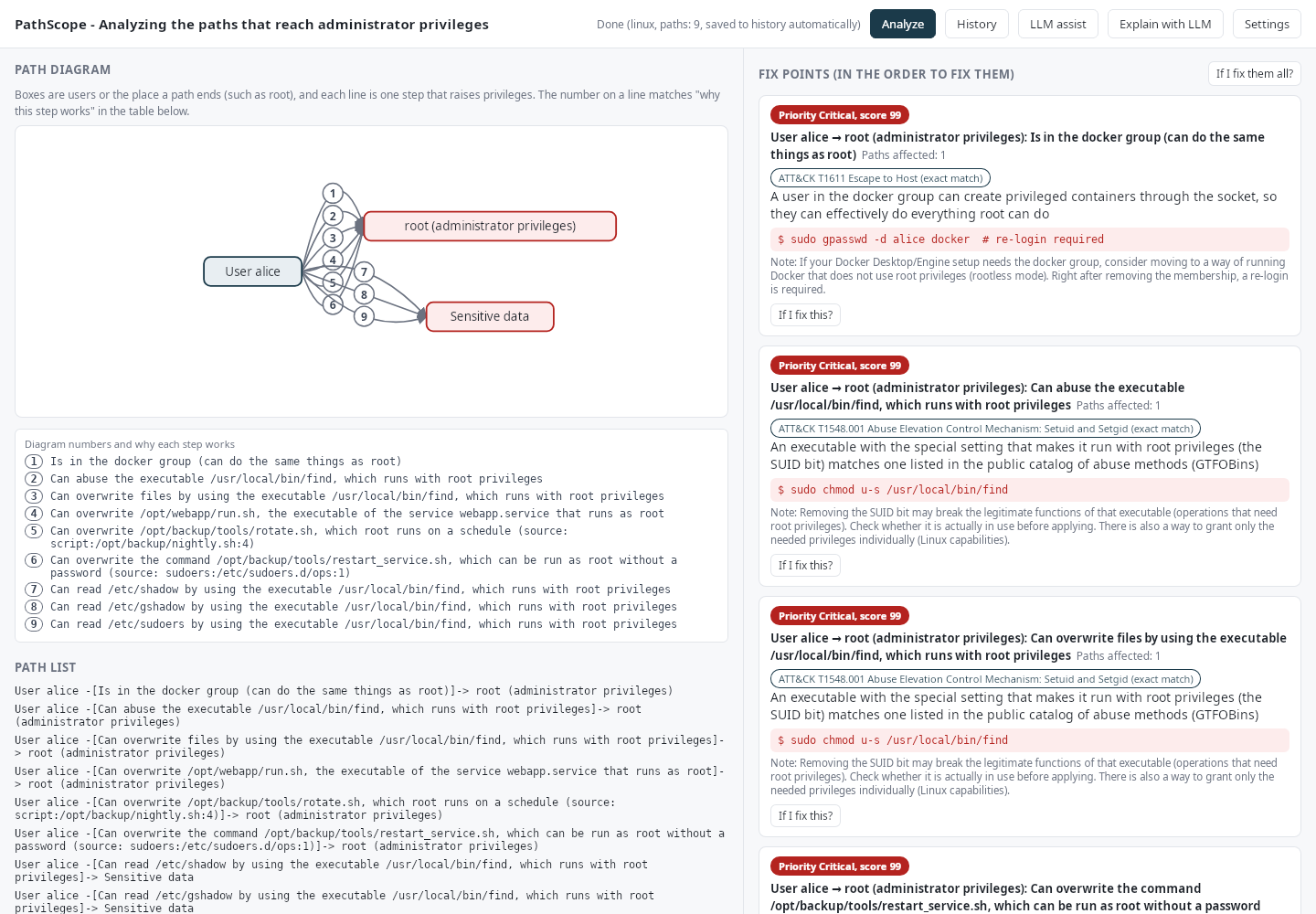
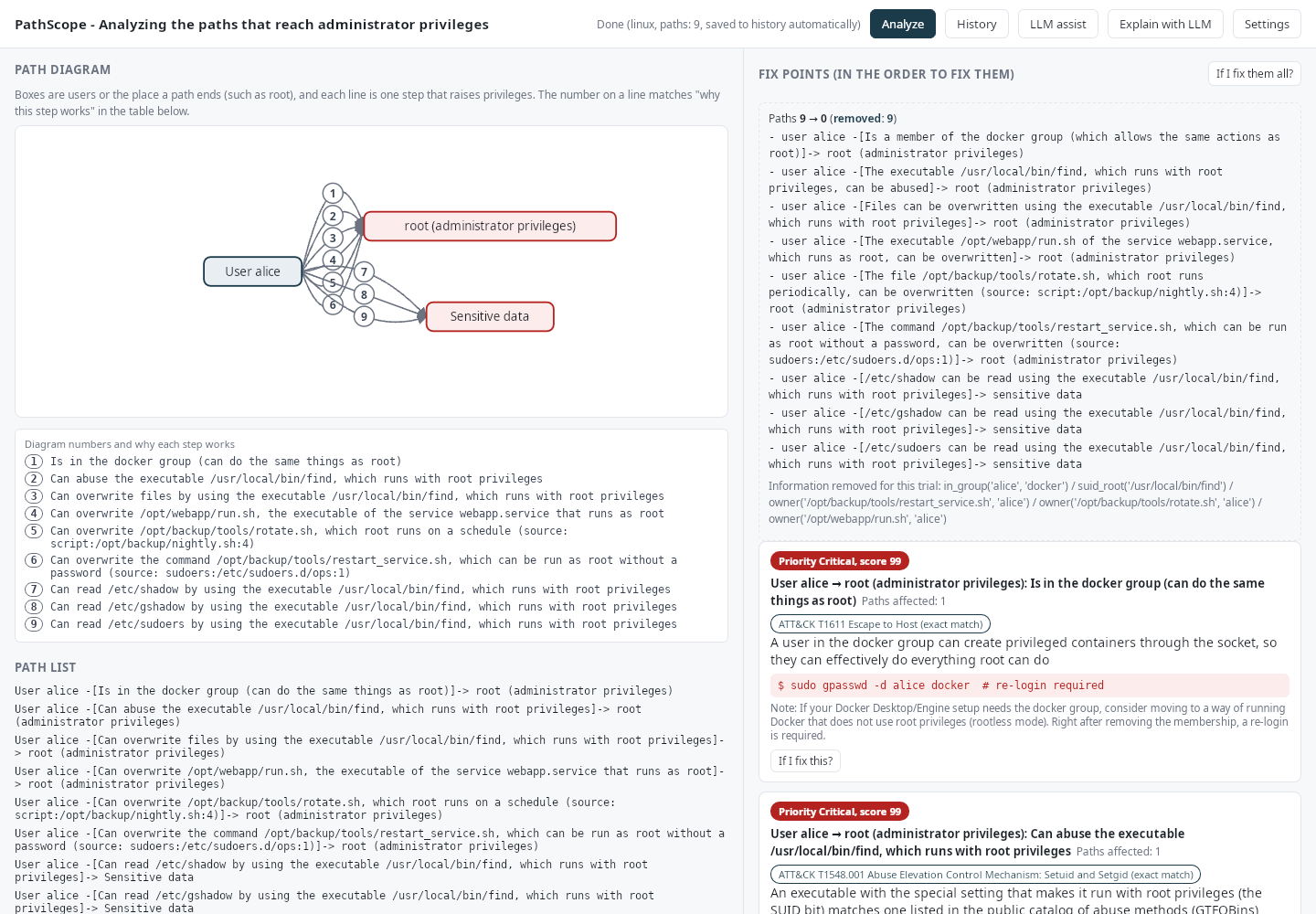
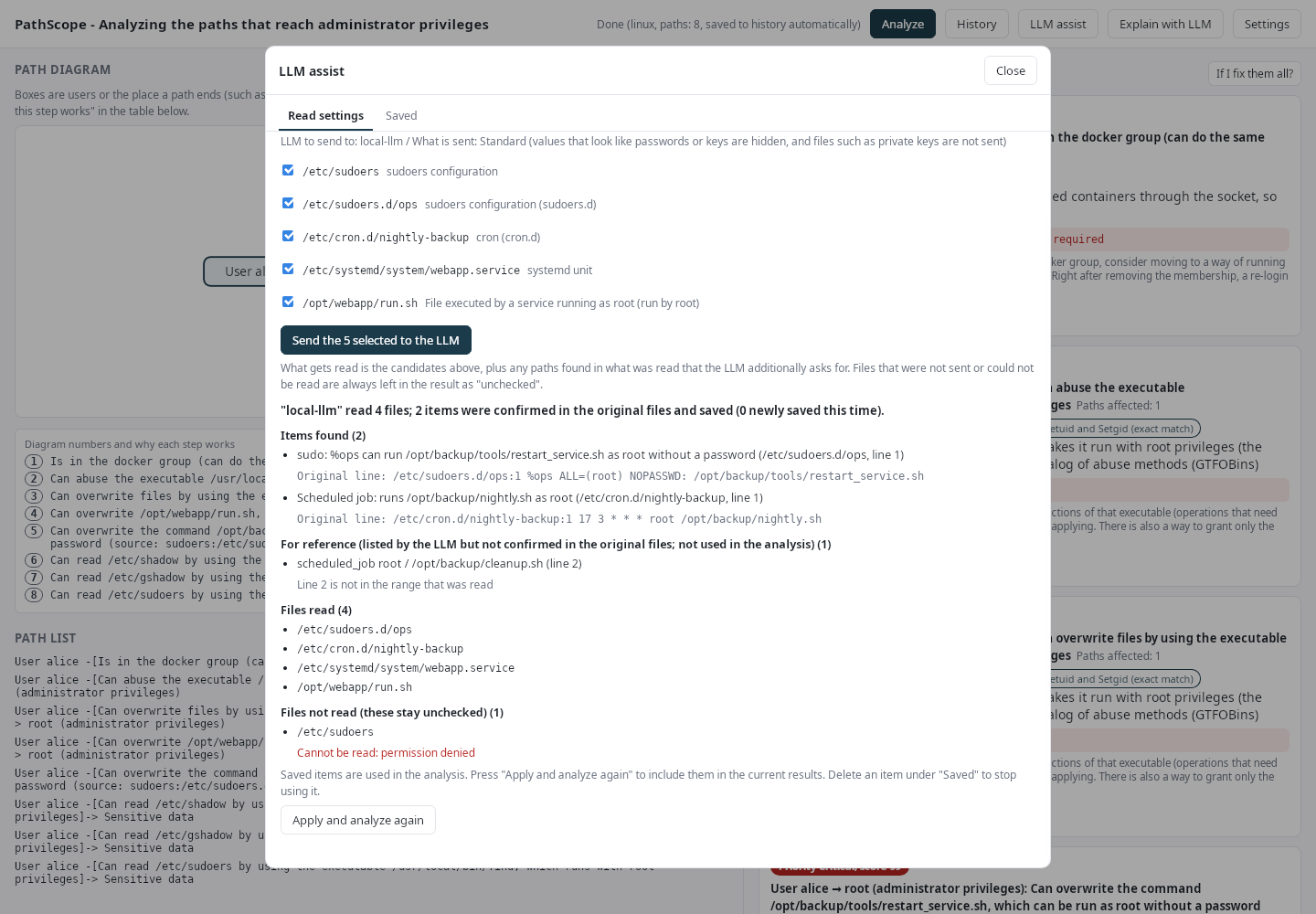
The data shown in these screens (user names, file paths and so on) is fictional. The LLM replies come from a stand-in command that returns fixed answers.
How to launch it
Mac: open PathScope in the Applications folder (it has its own icon, separate from RoamSwitch) and press "Analyze".
Command line: PathScope.app/Contents/MacOS/pathscope runs the same analysis. You can add options such as --what-if-fix=all (what if everything were fixed) and --baseline=previous.json --fail-on=new (exit code 1 when paths have increased since the last run).
Privacy and scope
PathScope performs all of its analysis on this device. It is read-only and does not change settings or files. It does not open listening ports, and its window does not load external sites. The history of results and the settings are stored only on this device. The results contain sensitive information about this device's configuration (user names, file paths, permissions), so limit where you keep and share them.
RoamSwitch's "Zero Telemetry" (it does not send traffic content or logs out) describes RoamSwitch itself. Communication that occurs when you enable PathScope's LLM integration is not covered by it. If you leave LLM integration off, PathScope never sends the content of its analysis off the device.
License
PathScope is licensed under the Apache License 2.0 and is not covered by RoamSwitch's End User License Agreement (EULA). The license text, NOTICE and the list of bundled third-party software are inside the app (PathScope.app/Contents/Resources).
Requirements and updates
macOS 12 or later. The app connects to lafine.net to fetch the latest version information only when you press "Check for updates" under "Update" (nothing about the device or the analysis results is sent). A downloaded update is installed only after its signature is verified.